
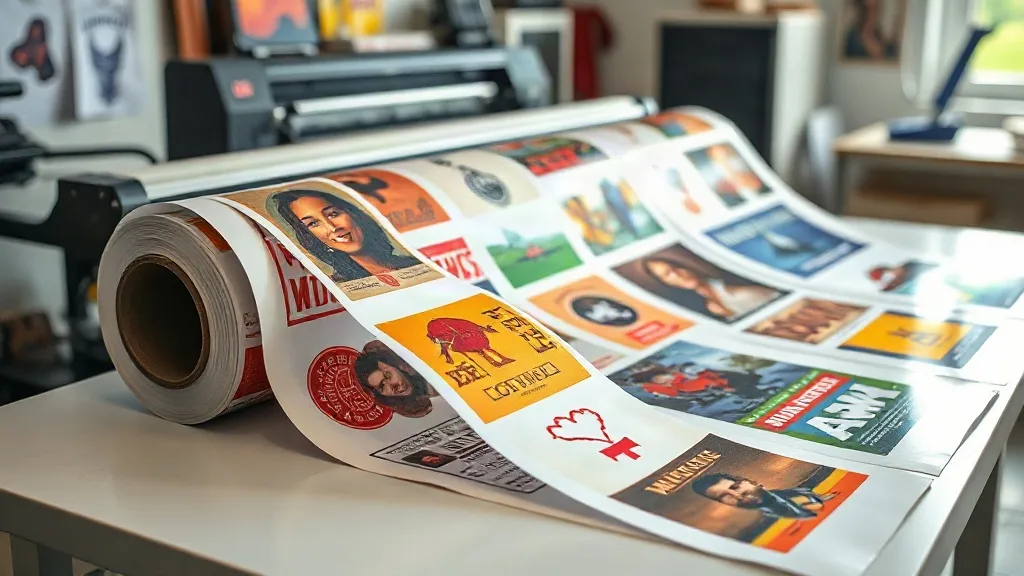
If you run a custom apparel business, you already know that time and material waste can eat into your profits. The DTF Gangsheet has become a go-to solution for print shops and hobbyists alike, allowing you to gang multiple designs onto a single sheet for efficient printing and application. In this guide, we'll explore what gangsheets are, why they matter, and how to make the most of them in your production process.
What Is a DTF Gangsheet?
A DTF Gangsheet is essentially a large sheet of DTF transfer film that contains multiple designs arranged together. Instead of printing each design individually, you consolidate them onto one sheet, which is then printed in a single pass. This approach maximizes the use of film and ink, reduces setup time, and simplifies inventory management. Gangsheets are particularly useful for orders with small quantities of various designs, such as team jerseys, event merchandise, or sample packs.
Why Use a DTF Gangsheet?
There are several compelling reasons to incorporate gangsheets into your workflow:
- Cost efficiency: By printing multiple designs on one sheet, you minimize wasted film and ink, lowering your per-unit cost.
- Time savings: You set up the printer once and produce many transfers simultaneously, speeding up production.
- Consistency: All designs on the sheet go through the same printing and curing process, ensuring uniform quality.
- Organization: Gangsheets keep small orders organized; you can label and store them easily, reducing errors.
How to Create a DTF Gangsheet
Creating a gangsheet requires careful planning to avoid waste and ensure quality. Here's a step-by-step approach:
- Collect and prepare your designs: Ensure all artwork is in the correct format (usually PNG with transparent background) and at the desired resolution (300 DPI recommended). Check for any necessary color adjustments.
- Arrange designs on a template: Use design software or a gangsheet builder tool to layout your designs on a canvas that matches your film size. Leave a small gap between designs to allow for cutting.
- Optimize spacing: Nest designs closely to maximize film usage, but avoid overlapping. Consider the cutting method (manual or machine) when determining spacing.
- Print and cure: Print the gangsheet using your DTF printer, apply adhesive powder, and cure according to your equipment's specifications.
- Cut and store: Cut out individual transfers or keep the sheet intact for later use. Store in a cool, dry place away from direct sunlight.
Best Practices for Gangsheet Production
To get the most out of your gangsheets, keep these tips in mind:
- Group similar colors: If your printer requires color profiling, grouping designs with similar color palettes can reduce ink changes and improve efficiency.
- Test print: Always run a small test print to check color accuracy and adhesion before committing to a full sheet.
- Use quality film and powder: Cheaper materials may cause problems like poor adhesion or faded colors. Invest in reputable supplies.
- Keep records: Document your gangsheet layouts and settings for repeat orders; this saves time and ensures consistency.
Common Mistakes to Avoid
Even experienced users can slip up. Watch out for these pitfalls:
- Overcrowding: Placing designs too close together can make cutting difficult and increase the risk of damaging transfers.
- Ignoring grain direction: Some films have a grain that affects stretch; align designs accordingly for best results.
- Inconsistent curing: Uneven powder application or curing can lead to transfers that peel or crack. Use a consistent process.
- Storing improperly: Exposure to moisture or heat can ruin unused transfers. Store them in a sealed bag with desiccant.
Frequently Asked Questions
What is the maximum size for a DTF gangsheet?
The maximum size depends on your printer's capabilities. Common widths are 13, 17, and 24 inches, with length limited by your film roll and printer. Check your printer specifications for exact limits.
Can I reuse a gangsheet layout for different orders?
Yes, if the designs and quantities are the same. Save your layout as a template for future orders to save time. Just ensure that any changes in design or size are updated accordingly.
How do I cut a gangsheet efficiently?
Use a vinyl cutter with a contour cut feature for precise cutting, or a sharp pair of scissors for manual cutting. For large volumes, a flatbed cutter can automate the process.
Do gangsheets work with both light and dark fabrics?
Absolutely. DTF transfers are opaque and include a white ink layer, so they show up vibrantly on any fabric color. Just ensure your design has the necessary white underbase if required.
What's the shelf life of a DTF gangsheet?
When stored properly in a cool, dry place away from direct sunlight, DTF transfers can last up to 12 months. For best results, use within 6 months.
Incorporating DTF Gangsheet into your production routine can transform your efficiency and bottom line. With careful planning and attention to detail, you'll wonder how you ever managed without them.